Your Collection
Your collection items will appear here.

Was Stickers

Find Was custom stickers to use
on Discord, Telegram & Whatsapp
.png 37 Raid Sticker
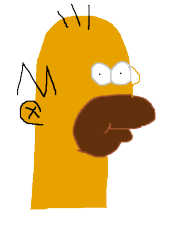
.png 165 Homer Sticker
.png 647 Drooling Sticker
.png 434 It_was_so_peak Sticker
.png 689 realistic_foreman_pig Sticker
.png 743 KirbyItWasAJoke Sticker
.png 1.0K STFU_MM Sticker
.png 487 DidntLaugh Sticker
.png 745 JotaroBMX Sticker
.png 474 Existence Sticker
.png 650 JustJoking Sticker
.png 550 Kingdom_of_Heaven Sticker
.png 446 SkullKing Sticker
.png 463 David_laid Sticker
.png 118 gottherascal Sticker
.png 69 McDonaldsTray Sticker
.png 60 Hyunjin_is_hot Sticker
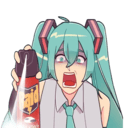
.png 263 what was that? Sticker
.png 197 How was your day? Sticker
.png 1.0K it was me all along Sticker
.png 120 what was that? Sticker
.png 135 How was your day? Sticker
.png 186 TowaStare Sticker

Was Discord stickers

Browse Was stickers shared by the emoji.gg community. Open a favourite to preview it, check its details and download the image.

Building a set for your server? Save your favourites to a collection as you browse so you can find them again.

Add stickers to your Discord server

  1. Choose your favourites. Open a sticker and download its image.
  2. Open Server Settings. In Discord, select your server and go to the Stickers section.
  3. Upload and name it. Select the downloaded image, give it a name and save it for your community to use.

Get the Android app

Emoji.gg is better on the app. Download it from the Google Play store.

Get Emoji.gg on Google Play