Your Collection
Your collection items will appear here.

Selfcare Stickers

Find Selfcare custom stickers to use
on Discord, Telegram & Whatsapp

.png 137 MinionsPapoi Sticker
.png 0 Tartaglia_Therapy Sticker
.gif 175 cute_cake Sticker
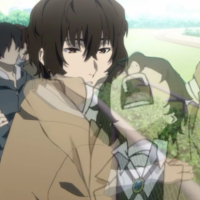
.png 130 Dazai_internalsuffering Sticker
.png 1 ISRO Sticker
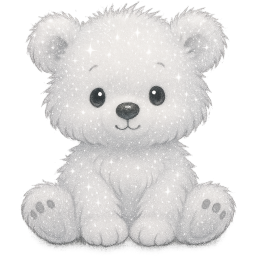
.png 99 Sparklywhitebear Sticker
.png 216 uiui Sticker
.gif 113 Koro_sensei Sticker
.png 4 Yuh Sticker
.png 136 HUHGRUL Sticker
.png 71 FONEGRUL Sticker
.png 177 TIREDGRUL Sticker
.png 173 SIDEEYEGRUL Sticker
.png 109 GREMLINGRUL Sticker
.png 108 PRPRETTYGRUL Sticker
.png 27 BOWGRUL Sticker
.png 114 HIBBYGRUL Sticker
.png 151 FKILLAGRUL Sticker
.png 50 DOITTOEMGRUL Sticker
.png 79 TIREDGRUL Sticker
.png 59 HUNGYGRUL Sticker
.png 93 DROOLGRUL Sticker
.png 116 FOREHEADKISSGRUL Sticker
.png 258 CRYGRUL Sticker
.png 176 MONSTERGRUL Sticker

Selfcare Discord stickers

Browse Selfcare stickers shared by the emoji.gg community. Open a favourite to preview it, check its details and download the image.

Building a set for your server? Save your favourites to a collection as you browse so you can find them again.

Add stickers to your Discord server

  1. Choose your favourites. Open a sticker and download its image.
  2. Open Server Settings. In Discord, select your server and go to the Stickers section.
  3. Upload and name it. Select the downloaded image, give it a name and save it for your community to use.

Get the Android app

Emoji.gg is better on the app. Download it from the Google Play store.

Get Emoji.gg on Google Play