Your Collection
Your collection items will appear here.

Policy Stickers

Find Policy custom stickers to use
on Discord, Telegram & Whatsapp

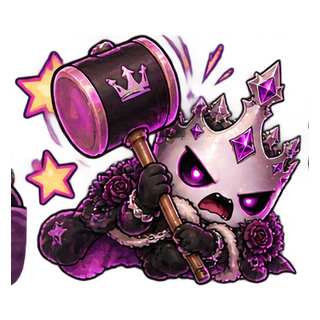
.png 40 CrownHammer Sticker
.png 215 ban Sticker
.gif 212 Bantumlum Sticker
.gif 54 Jigglypuff_bang Sticker
.png 47 SelenaKiss Sticker
.png 31 KaguraHeartEyes Sticker
.png 34 NanaWhat Sticker
.png 31 KaguraReverse Sticker
.png 1 CBAnimationz Sticker
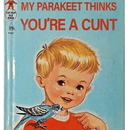
.png 134 myparakeet Sticker
.gif 287 Uncaged_Fury Sticker
.gif 4 Terzo_fall Sticker
.gif 67 Cardi_hello Sticker
.gif 1.6K bantumlum Sticker
.png 6 Babaniara Sticker
.gif 29 Ban Sticker
.gif 155 take_my_money_blank_Tbearish Sticker
.gif 21 take_my_money_blank_bearish Sticker
.gif 18 rockin_Tbearish Sticker
.gif 31 pew_pew_bearish Sticker
.gif 35 pew_pew_bullish_bearish Sticker
.gif 21 pew_pew_bear_market_bearish Sticker
.gif 17 out_hammer_bearish Sticker
.gif 35 hungryTbearish Sticker
.gif 30 hungry_plate_feedmeTbearish Sticker

Policy Discord stickers

Browse Policy stickers shared by the emoji.gg community. Open a favourite to preview it, check its details and download the image.

Building a set for your server? Save your favourites to a collection as you browse so you can find them again.

Add stickers to your Discord server

  1. Choose your favourites. Open a sticker and download its image.
  2. Open Server Settings. In Discord, select your server and go to the Stickers section.
  3. Upload and name it. Select the downloaded image, give it a name and save it for your community to use.

Get the Android app

Emoji.gg is better on the app. Download it from the Google Play store.

Get Emoji.gg on Google Play