Your Collection
Your collection items will appear here.

Hd Stickers

Find Hd custom stickers to use
on Discord, Telegram & Whatsapp
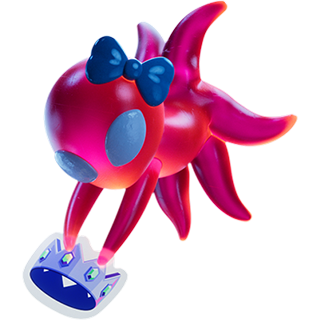
.png 2 AlienSticker Sticker
.png 4 AlienSticker2 Sticker
.png 0 CustomStickers Sticker
.gif 102 IDX_Happy_Birthday_1002 Sticker
.png 80 DepressedFishHd Sticker
.png 94 Hddj Sticker
.gif 115 chichdien Sticker
.gif 8 carlo_bierhtday_bearish Sticker
.gif 119 birthday_one_bearish Sticker
.gif 2 earthdayearthdayTBearish Sticker
.png 166 neurospicy_nd Sticker
.png 92 Stop Sticker
.png 143 KinichBirthdayAjaw Sticker
.png 73 BlobHDHeart Sticker
.png 32 Birthday Wumpus CakeSmash Sticker
.png 87 Birthday Wumpus Cake Sticker
.png 95 Birthday Mallow Celebrate Sticker
.png 123 Birthday Wumpus Sticker
.png 68 Birthday Helmet HUD Sticker
.png 125 Big Emoti Glad HD Sticker

Hd Discord stickers

Browse Hd stickers shared by the emoji.gg community. Open a favourite to preview it, check its details and download the image.

Building a set for your server? Save your favourites to a collection as you browse so you can find them again.

Add stickers to your Discord server

  1. Choose your favourites. Open a sticker and download its image.
  2. Open Server Settings. In Discord, select your server and go to the Stickers section.
  3. Upload and name it. Select the downloaded image, give it a name and save it for your community to use.

Get the Android app

Emoji.gg is better on the app. Download it from the Google Play store.

Get Emoji.gg on Google Play