Your Collection
Your collection items will appear here.

Exciting Stickers

Find Exciting custom stickers to use
on Discord, Telegram & Whatsapp

.gif 36 Tuxedo_Boy_Shocked Sticker
.gif 287 Catstrokingit Sticker
.png 94 Loveball Sticker
.gif 723 Peach Sticker
.gif 468 Goma Sticker
.gif 707 Wumpus_Special_Wave Sticker
.png 89 Blitzou Sticker
.gif 36 Clay Sticker
.png 103 Skylar_shock Sticker
.png 77 Skylar_no Sticker
.png 66 cirrus_shutup Sticker
.png 84 litc_stfu Sticker
.png 263 LilRuskiGuy Sticker
.png 24 MorrowindBob Sticker
.gif 61 Gmoddance Sticker
.png 0 FLASHLITE Sticker
.png 99 Littlechefcatmemesticker Sticker
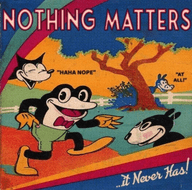
.png 11 nothingmatters Sticker
.png 129 yeah Sticker
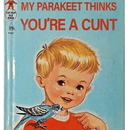
.png 145 myparakeet Sticker
.png 1 mykitten Sticker
.png 27 marathi Sticker
.gif 172 Jake Sticker
.gif 97 Green_Drac_Heart Sticker

Exciting Discord stickers

Browse Exciting stickers shared by the emoji.gg community. Open a favourite to preview it, check its details and download the image.

Building a set for your server? Save your favourites to a collection as you browse so you can find them again.

Add stickers to your Discord server

  1. Choose your favourites. Open a sticker and download its image.
  2. Open Server Settings. In Discord, select your server and go to the Stickers section.
  3. Upload and name it. Select the downloaded image, give it a name and save it for your community to use.

Get the Android app

Emoji.gg is better on the app. Download it from the Google Play store.

Get Emoji.gg on Google Play