Your Collection
Your collection items will appear here.

Volatile Emojis

Find Volatile custom emojis to use
on Discord, Twitch & Slack

.png 22 Love4 Emoji
.png 1.2K LightBlueDangerouslyCute Emoji
.png 269 GreenDangerouslyCute Emoji
.png 385 OrangeDangerouslyCute Emoji
.png 255 RedDangerouslyCute Emoji
.png 270 YellowDangerouslyCute Emoji
.png 307 GrayDangerouslyCute Emoji
.png 1.5K WhiteDangerouslyCute Emoji
.png 2.6K PinkDangerouslyCute Emoji
.png 888 PurpleDangerouslyCute Emoji
.png 38 Rookie Emoji
.gif 4.1K Poison Emoji
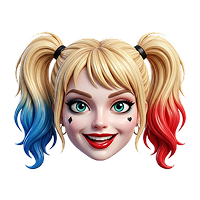
.png 231 HarleySmile Emoji
.png 2.0K HarleyQuinn Emoji
.png 579 alta_portal_turret_atomic Emoji
.png 5.5K BuckyARMED Emoji
.png 613 CapybaraPeligrosoo Emoji
.png 33.5K cat_knife Emoji
.png 1.1K 14explosive Emoji
.png 395 13explosive Emoji
.gif 13.7K Homelander Emoji
.png 2.0K tiger_gift Emoji
.png 160 demon_gift2 Emoji
.png 546 demon_gift Emoji
.png 7.4K YES_QUEEN Emoji

Volatile Discord emojis

Browse Volatile emojis shared by the emoji.gg community. Open a favourite to preview it, check its details and download the image.

Building a set for your server? Save your favourites to a collection as you browse so you can find them again.

Explore Volatile stickers

Add emojis to your Discord server

  1. Choose your favourites. Open a emoji and download its image.
  2. Open Server Settings. In Discord, select your server and go to the Emoji section.
  3. Upload and name it. Select the downloaded image, give it a name and save it for your community to use.

Get the Android app

Emoji.gg is better on the app. Download it from the Google Play store.

Get Emoji.gg on Google Play