Your Collection
Your collection items will appear here.

Do Emojis

Find Do custom emojis to use
on Discord, Twitch & Slack

.png 0 LightRedCheckmark Emoji
.png 20 LightRedOpenBook Emoji
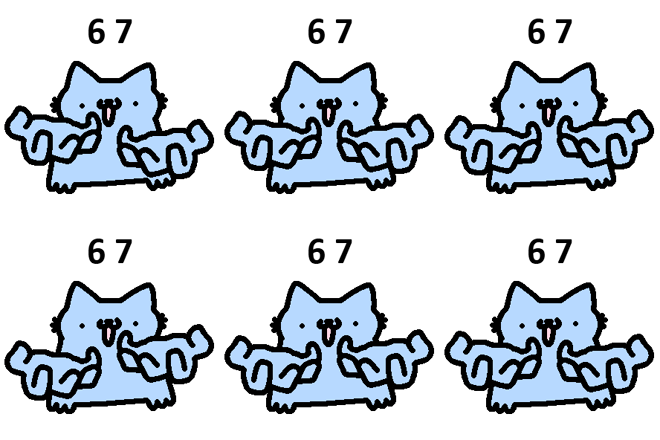
.gif 78 67cat Emoji
.gif 30 Whatdidtheydotous Emoji
.png 5 MintSplitShield Emoji
.png 66 SkyBlueCheckmark Emoji
.png 38 SkyBlueShield Emoji
.png 0 1ststardragonballredo Emoji
.png 0 2ndStarDragonBall Emoji
.png 0 3stardragonball Emoji
.png 0 4stardragonball Emoji
.png 0 7StarDragonBall Emoji
.png 43 WhiteCreditCard Emoji
.png 81 MintGreenCheckmark Emoji
.png 21 LavenderThumbsDown Emoji
.png 27 LavenderCheckmark Emoji
.png 26 LavenderClock Emoji
.png 180 LavenderPerson Emoji
.png 0 LavenderShield Emoji
.png 118 CyanDiamond Emoji
.png 11 bloqueado Emoji
.png 0 operador Emoji
.gif 39 StarDots Emoji
.gif 104 Trump_Cat Emoji
.gif 2.5K TalktomeDoja Emoji

Do Discord emojis

Browse Do emojis shared by the emoji.gg community. Open a favourite to preview it, check its details and download the image.

Building a set for your server? Save your favourites to a collection as you browse so you can find them again.

Explore Do stickers

Add emojis to your Discord server

  1. Choose your favourites. Open a emoji and download its image.
  2. Open Server Settings. In Discord, select your server and go to the Emoji section.
  3. Upload and name it. Select the downloaded image, give it a name and save it for your community to use.

Get the Android app

Emoji.gg is better on the app. Download it from the Google Play store.

Get Emoji.gg on Google Play