Your Collection
Your collection items will appear here.

Retrogaming Emojis

Find Retrogaming custom emojis to use
on Discord, Twitch & Slack
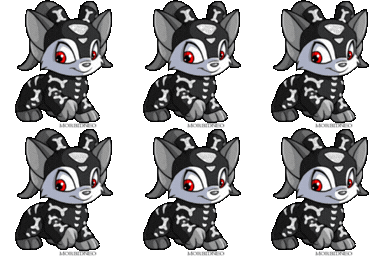
.gif 5 skeletonneopetsacara Emoji
.gif 244 pinktamagotchitoy Emoji
.png 0 unit Emoji
.png 0 summergirl Emoji
.png 710 unsure Emoji
.png 460 gold_top_hat Emoji
.png 305 fireman Emoji
.png 347 fairy Emoji
.png 1.4K greendragon Emoji
.png 64 knuckleslogo Emoji
.png 36 tailslogo Emoji
.png 32 amylogo Emoji
.gif 0 sonicdreggman1 Emoji
.gif 0 sonicgsoniclogojp Emoji
.gif 136 sonicchaosemeraldorange Emoji
.gif 0 sonic21stsoniclogo Emoji
.gif 25 sonicknuckles Emoji
.gif 49 sonicrsoniclogo Emoji
.gif 0 sonicsonicchaosdreggman Emoji
.gif 227 sonicsonicthehedgehog Emoji
.gif 30 soniccdeggman Emoji
.gif 0 soniceggman Emoji
.gif 0 sonicreadyforbattledreggman Emoji
.gif 0 sonicsoniclogosuperstars Emoji
.gif 0 sonicsonicthehedgehog8bitlogo Emoji

Retrogaming Discord emojis

Browse Retrogaming emojis shared by the emoji.gg community. Open a favourite to preview it, check its details and download the image.

Building a set for your server? Save your favourites to a collection as you browse so you can find them again.

Explore Retrogaming stickers

Add emojis to your Discord server

  1. Choose your favourites. Open a emoji and download its image.
  2. Open Server Settings. In Discord, select your server and go to the Emoji section.
  3. Upload and name it. Select the downloaded image, give it a name and save it for your community to use.

Get the Android app

Emoji.gg is better on the app. Download it from the Google Play store.

Get Emoji.gg on Google Play