Your Collection
Your collection items will appear here.

Provinces Emojis

Find Provinces custom emojis to use
on Discord, Twitch & Slack

.png 3.0K flag_yu_rsme Emoji
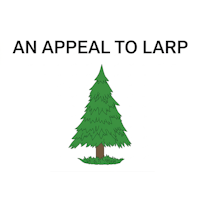
.png 1.3K AnAppealtoLarp Emoji
.png 1.2K HauntedMoundReapers Emoji
.png 1.5K Stankonia Emoji
.png 1.9K anticommunistaction Emoji
.png 462 anticom Emoji
.png 1 Martz_Trailways_Group Emoji
.png 2 Coach_USA Emoji
.png 73 Welcome_to_Arkansas_sign Emoji
.png 409 Arkansas_state_flag Emoji
.png 699 Louisiana_state_flag Emoji
.png 397 Welcome_to_Louisiana_sign Emoji
.png 50 Welcome_to_Oklahoma_sign Emoji
.png 529 Flixbus Emoji
.png 3.1K Buc_ees Emoji
.png 3.4K RIPTikTokIDS Emoji
.png 441 rgrande Emoji
.png 458 Papal_States_1 Emoji
.png 84.8K Cashapp Emoji
.png 1.5K flag_us_ut Emoji
.gif 5.5K justcant Emoji
.png 2.0K USMS Emoji
.png 722 flag_us_coastguard Emoji
.png 8.5K flag_us_br Emoji
.png 1.3K flag_us_spaceforce Emoji

Provinces Discord emojis

Browse Provinces emojis shared by the emoji.gg community. Open a favourite to preview it, check its details and download the image.

Building a set for your server? Save your favourites to a collection as you browse so you can find them again.

Explore Provinces stickers

Add emojis to your Discord server

  1. Choose your favourites. Open a emoji and download its image.
  2. Open Server Settings. In Discord, select your server and go to the Emoji section.
  3. Upload and name it. Select the downloaded image, give it a name and save it for your community to use.

Get the Android app

Emoji.gg is better on the app. Download it from the Google Play store.

Get Emoji.gg on Google Play