Emoji.gg logo emoji.gg
Your collections

Dice Rolls Emojis

Find Dice Rolls custom emojis to use
on Discord, Twitch & Slack

.png 898 pixeldice Emoji
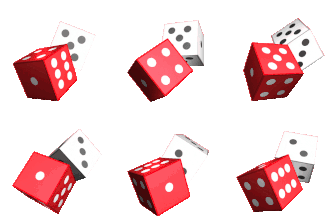
.gif 27.6K Dice Emoji
.png 2.1K Cutedice Emoji
.png 1.9K galaxyd8 Emoji
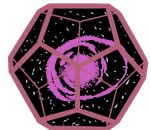
.png 1.8K galaxyd12 Emoji
.png 2.0K galaxyd10 Emoji
.png 3.7K galaxyd20 Emoji
.png 1.6K galaxyd6 Emoji
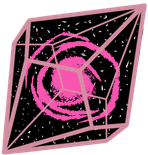
.png 1.5K galaxyd4 Emoji
.png 14.7K dice Emoji
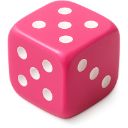
.png 2.0K Pink_game_dice Emoji
.png 2 BelgiumCube Emoji
.png 1 BelgiumCube Emoji
.png 2.3K dice Emoji
.png 33.0K CriticalFailure Emoji
.gif 4.1K dice Emoji
.png 11.6K sweetheart_dice Emoji
.png 34.3K goth_dice Emoji
.png 1.4K die2000 Emoji
.png 1.3K KawaiiDiceGreen2 Emoji
.png 2.2K KawaiiDiceYellow Emoji
.png 1.3K KawaiiDiceBlue Emoji
.png 1.1K KawaiiDiceRed Emoji
.png 1.1K KawaiiDice Emoji

Dice Rolls Discord emojis

Browse Dice Rolls emojis shared by the emoji.gg community. Open a favourite to preview it, check its details and download the image.

Building a set for your server? Save your favourites to a collection as you browse so you can find them again.

Explore Dice Rolls stickers

Add emojis to your Discord server

  1. Choose your favourites. Open a emoji and download its image.
  2. Open Server Settings. In Discord, select your server and go to the Emoji section.
  3. Upload and name it. Select the downloaded image, give it a name and save it for your community to use.

Get the Android app

Emoji.gg is better on the app. Download it from the Google Play store.

Get Emoji.gg on Google Play