Your Collection
Your collection items will appear here.

Brooch Emojis

Find Brooch custom emojis to use
on Discord, Twitch & Slack
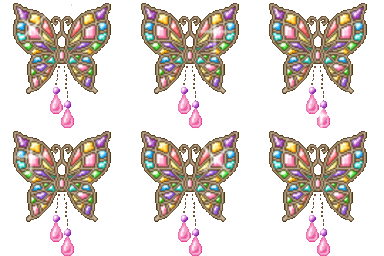
.gif 153 stainedglassbutterflybrooch Emoji
.png 14.4K goth_bloodbrooch Emoji
.png 7.7K blood_brooch Emoji
.png 24 PinkCrown Emoji
.png 14 SkyBlueBell Emoji
.png 26 SkyBluePin Emoji
.png 57 PinkShoppingCart Emoji
.png 28 GreenSignalBars Emoji
.png 24 WhiteAtSymbol Emoji
.png 0 LavenderAtSymbol Emoji
.png 48 Twitter Emoji
.png 266 YouTubeLogo Emoji
.png 147 TwitchLogo Emoji
.gif 166 Roses Emoji
.png 110 fev_Pinned Emoji
.png 93 pinkie_crazy Emoji
.png 52 pinkie_cry Emoji
.png 32 amylogo Emoji
.png 72 pink_checkmark Emoji
.gif 89 PinkBunnyDance Emoji
.gif 599 Owner Emoji
.gif 192 PinkCow Emoji
.gif 124 LittleTwinStars Emoji
.gif 317 pink Emoji
.gif 583 Kuromi Emoji

Brooch Discord emojis

Browse Brooch emojis shared by the emoji.gg community. Open a favourite to preview it, check its details and download the image.

Building a set for your server? Save your favourites to a collection as you browse so you can find them again.

Explore Brooch stickers

Add emojis to your Discord server

  1. Choose your favourites. Open a emoji and download its image.
  2. Open Server Settings. In Discord, select your server and go to the Emoji section.
  3. Upload and name it. Select the downloaded image, give it a name and save it for your community to use.

Get the Android app

Emoji.gg is better on the app. Download it from the Google Play store.

Get Emoji.gg on Google Play