Your collections

Keep your favourite assets together

Ae Emojis

Find Ae custom emojis to use
on Discord, Twitch & Slack
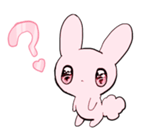
.png 1.3K Pink_bunny Emoji
.gif 147 naenae3 Emoji
.gif 5 naenae2 Emoji
.gif 48 naenae1 Emoji
.png 968 waery Emoji
.png 7.1K daewae Emoji
.png 431 KaeriThink Emoji
.png 20.8K PandaEr Emoji
.png 40 daelaam Emoji
.png 197 ohnocohen Emoji
.png 2.1K FeelsIsraelMan Emoji
.png 2.2K MadSmashUltimateDaisy Emoji
.png 398 MadSmashUltimateRoy Emoji
.gif 107 sabernero Emoji
.gif 1.7K Umu_nod Emoji
.png 1.4K noob_taekwondo Emoji
.png 1.1K UrMomGay_100 Emoji
.png 2.3K monkaEyes Emoji
.png 868 mikaelangelow Emoji
.png 3.8K kannaeat Emoji
.png 21 kae Emoji
.gif 6.4K AniKnuckles Emoji
.png 1.9K KaeriThumbsUp Emoji
.png 2.3K PandaElf Emoji
.png 240 waeryfixedmouth Emoji

Ae Discord emojis

Browse Ae emojis shared by the emoji.gg community. Open a favourite to preview it, check its details and download the image.

Building a set for your server? Save your favourites to a collection as you browse so you can find them again.

Explore Ae stickers

Add emojis to your Discord server

  1. Choose your favourites. Open a emoji and download its image.
  2. Open Server Settings. In Discord, select your server and go to the Emoji section.
  3. Upload and name it. Select the downloaded image, give it a name and save it for your community to use.

Get the Android app

Emoji.gg is better on the app. Download it from the Google Play store.

Get Emoji.gg on Google Play