Your Collection
Your collection items will appear here.

Administer Emojis

Find Administer custom emojis to use
on Discord, Twitch & Slack

.png 1.3K AdminRoleIcon Emoji
.png 33 Palaung Emoji
.png 12.7K Administrator Emoji
.png 415 flag_Punjab Emoji
.png 0 PastelBlackCrown Emoji
.png 0 PastelMintCrown Emoji
.png 0 PastelGreenCrown Emoji
.png 0 PastelPeachCrown Emoji
.png 0 PastelPinkCrown Emoji
.png 0 PastelWhiteCrown Emoji
.png 14 PastelRedCrown Emoji
.png 0 PastelPurpleCrown Emoji
.png 0 PastelBlueCrown Emoji
.png 132 WhiteTie Emoji
.png 109 BrownBriefcase Emoji
.png 194 WhiteIconManagement Emoji
.png 2.5K WhiteGavel Emoji
.png 62 doit Emoji
.png 6 done Emoji
.png 92 goodidea Emoji
.png 26 halp Emoji
.png 28 nods Emoji
.png 73 nope Emoji
.png 48 onit Emoji
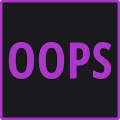
.png 103 oops Emoji

Administer Discord emojis

Browse Administer emojis shared by the emoji.gg community. Open a favourite to preview it, check its details and download the image.

Building a set for your server? Save your favourites to a collection as you browse so you can find them again.

Explore Administer stickers

Add emojis to your Discord server

  1. Choose your favourites. Open a emoji and download its image.
  2. Open Server Settings. In Discord, select your server and go to the Emoji section.
  3. Upload and name it. Select the downloaded image, give it a name and save it for your community to use.

Get the Android app

Emoji.gg is better on the app. Download it from the Google Play store.

Get Emoji.gg on Google Play